
Backup & restore

Back up your Android apps, your way

Keep versioned copies of every app you care about, on the storage you already own. Schedule backups, back up automatically when apps update, and restore in a tap.

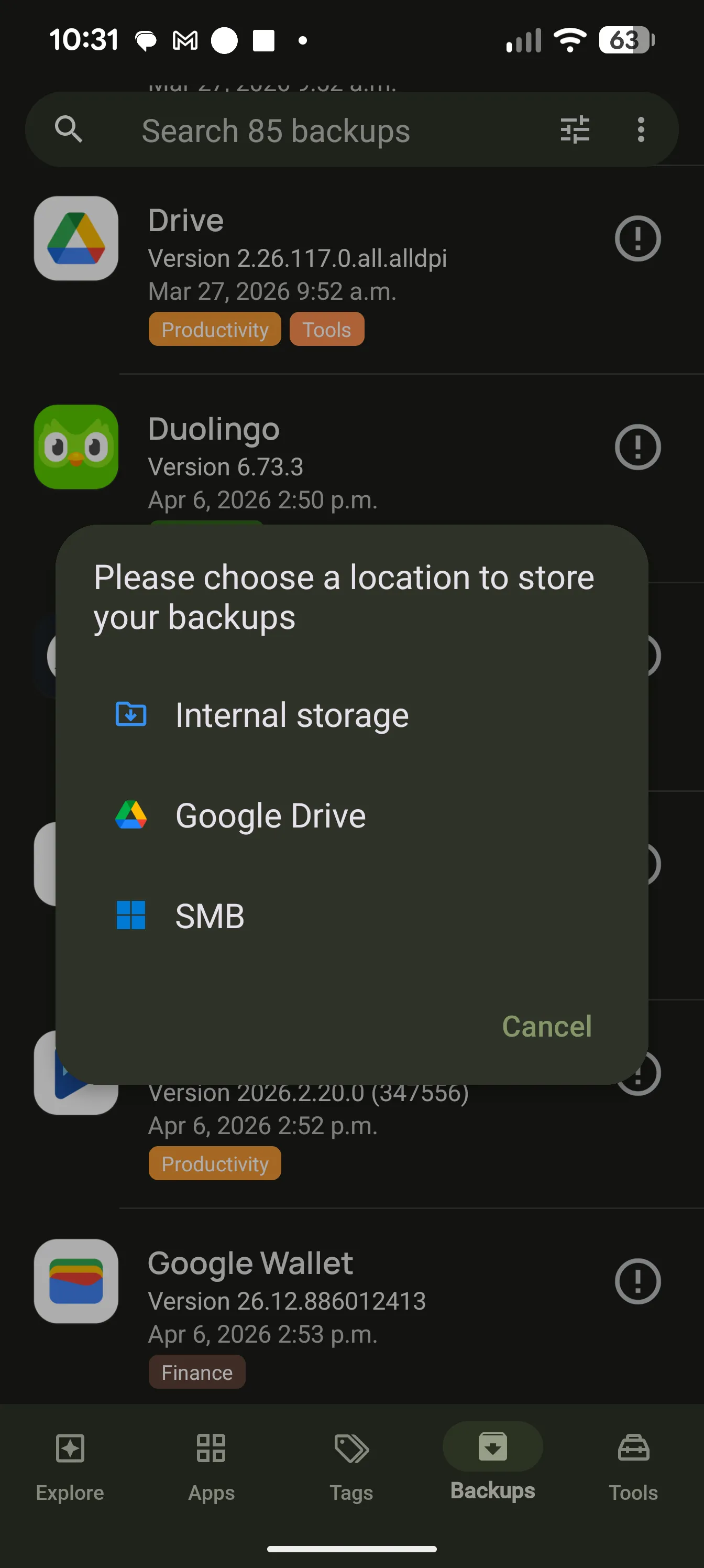
AppDash Backups screen showing versioned app backups

Nine backup destinations

Back up to local storage or to the server and cloud accounts you already have. Backups go straight from your device to the destination. Nothing passes through AppDash servers.

  • Device storage, SD cards and USB drives
  • SMB network shares, WebDAV, and SFTP with password or private-key sign-in
  • S3-compatible storage: AWS S3, Backblaze B2, Cloudflare R2, Wasabi, MinIO
  • Google Drive, Microsoft OneDrive and Dropbox, limited to an app folder

Versioned, scheduled, automatic

AppDash keeps each version it backs up, so you can roll back to the release that worked. Run backups on a schedule, or let AppDash back up an app every time it updates.

  • Multiple versions per app, with version names shown
  • Scheduled backups and back-up-on-update
  • Sync backups between two locations
  • Clear per-app results, so a failed upload is never reported as a success

Restore when you need it

Reinstall a backed-up app in a tap, pick a specific version, or restore in batches when you move to a new phone. On Android 15 and newer, apps you archived can be restored from an AppDash backup too.

  • Restore one app or many at once
  • Choose the exact version to restore
  • Open with AppDash from any file manager

App data with root

Without root, AppDash backs up the APK and split APKs for every app. With root, it can also capture app data, external data and OBB files, so a restore brings back your settings and progress.

  • APK and split APK backups on every device
  • App data, external data and OBB files with root
  • Credentials for network locations are stored encrypted on your device

Common questions

Do I need root to back up apps?
No. Every device can back up APK files. Root is only needed to back up app data alongside the APK.
Which cloud services are supported?
Google Drive, Microsoft OneDrive and Dropbox, plus any WebDAV, SFTP, SMB or S3-compatible server you run or rent.
Does EX Solutions ever see my backups?
No. Backups transfer directly between your device and the destination you choose, and sign-in tokens and server credentials never leave your device.

More features

Try it with a full-access preview

Install AppDash and use every feature for 7 days. No ads, no tracking.