The all-in-one control center for your Android apps

See what's installed, understand what matters, and take action from one polished dashboard — with insights, deep app details, backups, app tools, and optional Play Store intelligence.

  • Organize with tags, filters, notes, and groups
  • See usage, permissions, history, storage, and app details
  • Back up, restore, inspect, search, and track apps
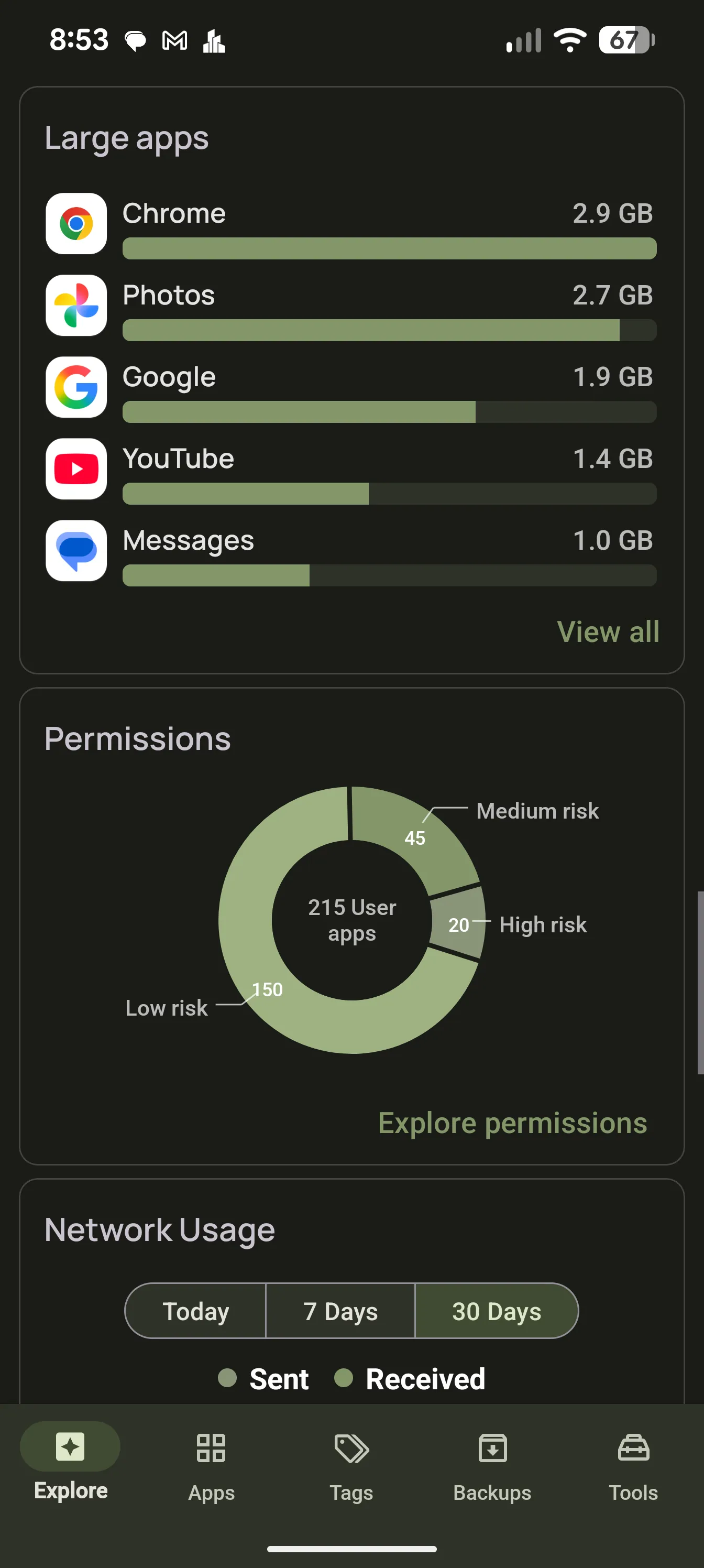
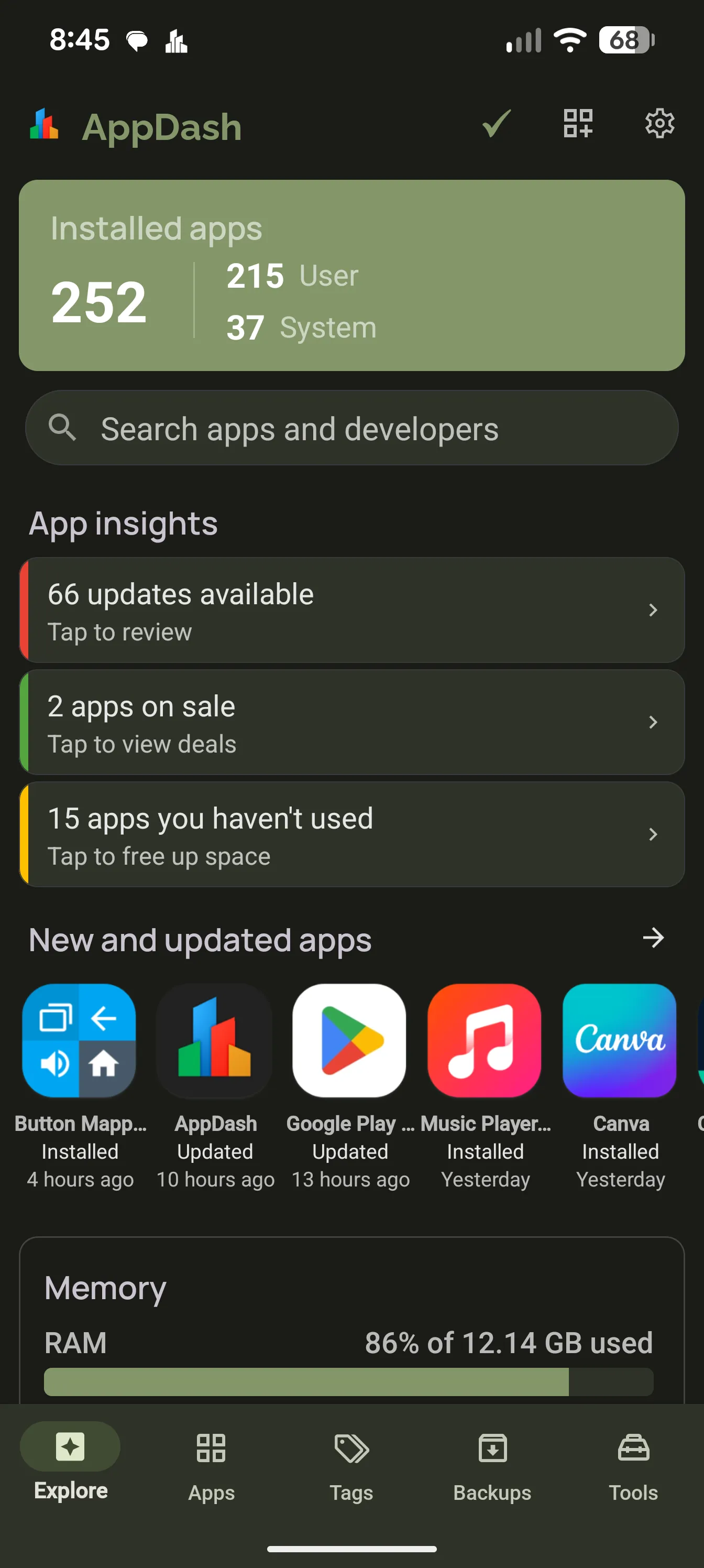
AppDash Explore dashboard with insight cards

What AppDash is

One place for everything Android doesn't show clearly

AppDash pulls app details, usage, permissions, history, storage, backups, and actions into one interface — so you spend less time digging through scattered settings and more time actually managing your apps.

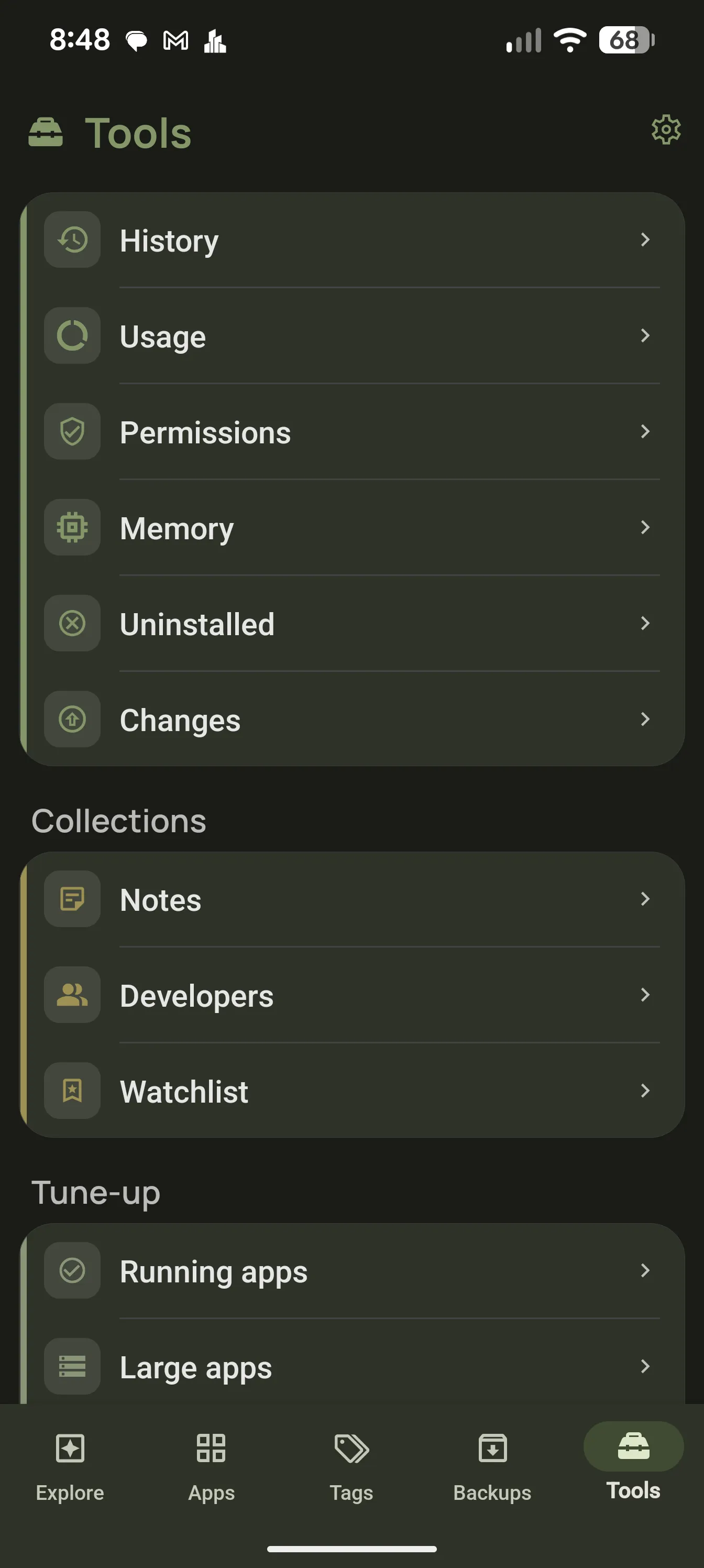
AppDash Tools tab showing the breadth of utilities in one place

Organize, understand, control, track

AppDash is more than an app manager. It is a complete workspace for managing the apps on your Android device.

Organize your apps

Use tags, filters, notes, and developer grouping to bring order to a crowded phone. Create your own system for work, games, tools, privacy-sensitive apps, or anything else.

  • Color-coded tags and auto-tagging
  • Search, sorting, and filtering
  • Notes and developer grouping

Understand what your apps are doing

See far more than Android's default app info screen. View usage, storage, permissions, install history, certificates, manifest details, and more in one place.

  • Usage analytics and history
  • Permission and security visibility
  • Deep app details and inspection tools

Take action in seconds

Back up and restore apps, run batch actions, analyze APK files, and manage apps from one place. Root and Shizuku extend AppDash with even more advanced actions, on top of an already powerful core experience.

  • APK backup and restore
  • Batch actions and APK tools
  • Optional root / Shizuku features

Stay ahead of app changes

Track apps you care about with watchlist features and Play Store intelligence. Follow updates, price drops, sales, apps becoming free, and apps that disappear from public listings.

  • Watchlist and app alerts
  • Play Store search with filters
  • Richer app info from AppDash's API

Explore & insights

A dashboard that tells you what matters right now

AppDash starts with an Explore dashboard built around useful, configurable cards. See recently installed and updated apps, unused apps, large apps, usage trends, and other high-value information without digging.

AppDash Explore dashboard with insight cards

Insight cards surface things you might otherwise miss.

Tap any insight to jump straight to the relevant screen.

  • Updates available

    Catch what just changed across your apps.

  • Apps on sale

    Watchlist deals before they expire.

  • Unused apps

    Reclaim the space they’re sitting on.

  • Storage-heavy apps

    See the biggest space hogs at a glance.

  • Permissions issues

    Audit dangerous and high-risk access.

  • Other changes worth your attention

    Background activity, outdated backups, more.

From everyday app management to deep technical detail

Need a better way to browse and manage your apps? AppDash makes that easy. Need to inspect an app's manifest, components, permissions, signing certificate, install history, or APK contents? AppDash does that too.

For everyday users

Take charge of a crowded phone

  • find unused apps
  • identify large apps
  • organize apps with tags
  • back up APKs
  • add notes
  • see what changed

For power users

Get under the hood of every app

  • browse activities, services, receivers, and providers
  • inspect manifests and signing certificates
  • use Shizuku or root for advanced actions
  • work with APK/APKS/APKM files
  • manage app behavior more aggressively

Watchlist & Play intelligence

More than on-device management

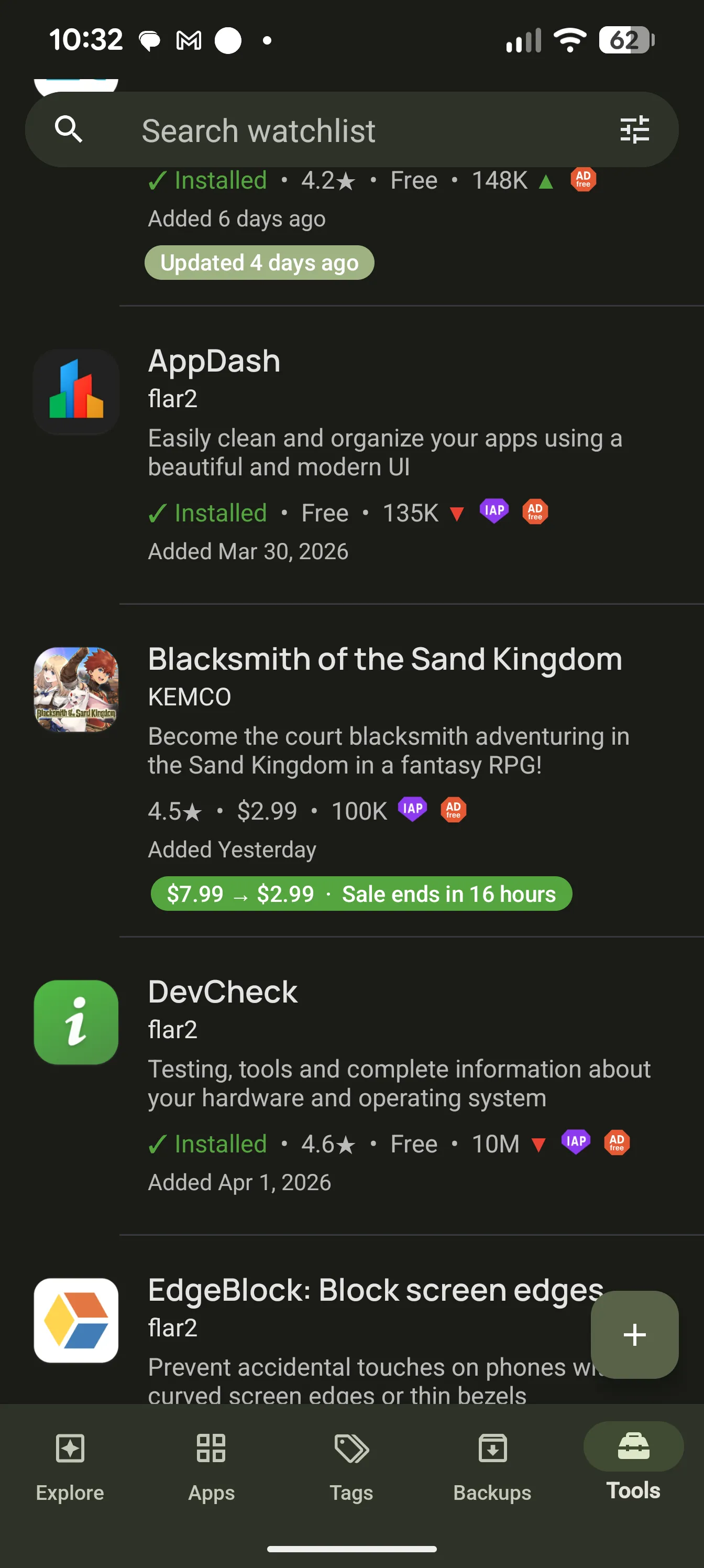
AppDash can optionally enrich your app experience with Play Store intelligence. Search the Play Store with filters, add apps to your watchlist, and keep tabs on price drops, sales, apps becoming free, updates, and other changes — even for apps you haven't installed.

AppDash watchlist showing tracked apps with sale and update indicators

A smarter way to follow the apps you care about

Not just the ones already on your phone.

  • Filtered Play Store search

    Search by price, ads, IAP, rating, installs, and category.

  • Watchlist alerts

    Price drops, sales ending, apps becoming free, updates, and more.

  • Apps you don’t have yet

    Track anything from the Play Store, even if it’s never been on your device.

  • Optional richer info

    Pull changelogs, install counts, ratings, and developer details from AppDash’s API.

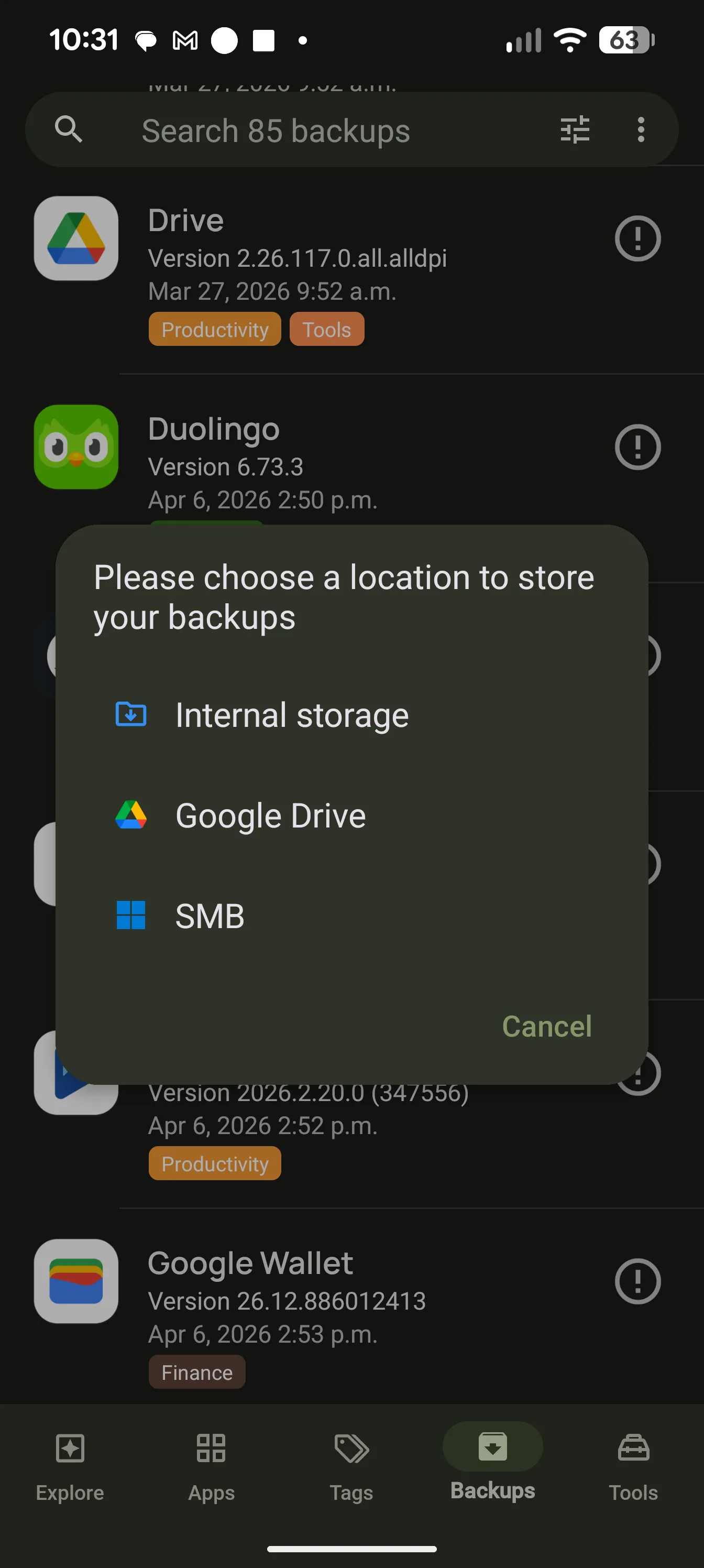
AppDash Backups screen with versioned APK backups

Backups

Versioned backups when you need them

Back up APKs to local storage, Google Drive, or SMB network shares. Keep versioned backups, automate backup flows, sync locations and restore when you need them. For rooted devices, AppDash can go further with app data backup support.

Useful when upgrading devices, preserving app versions, or keeping important tools close at hand.

Home-screen widgets

Useful info, right on your home screen

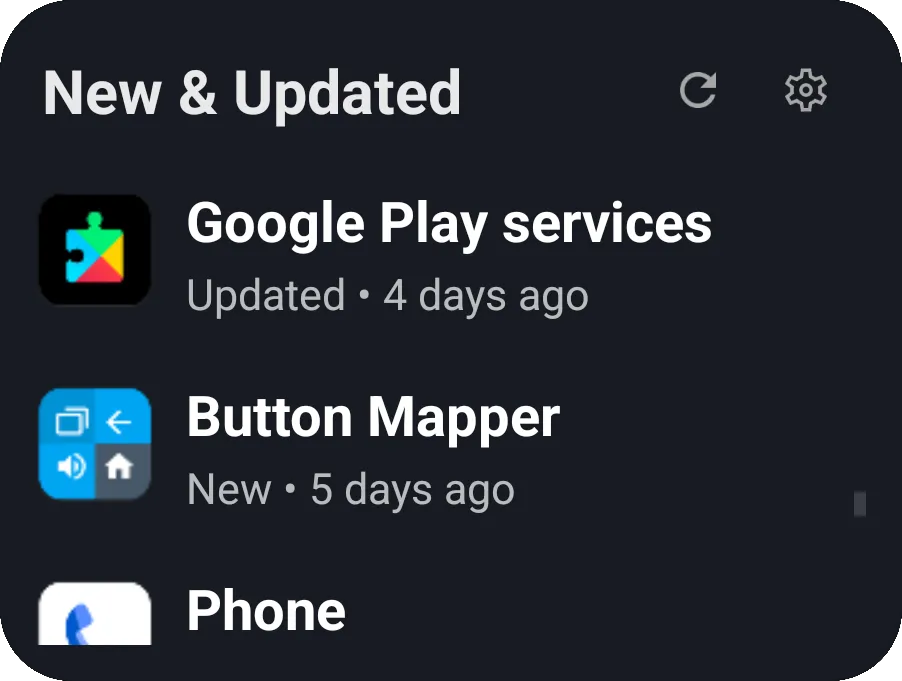
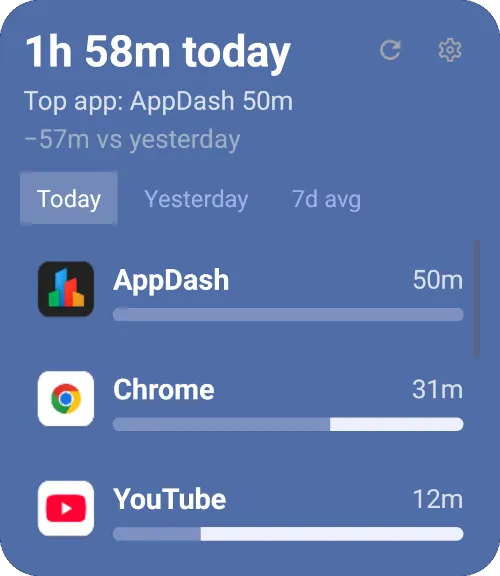
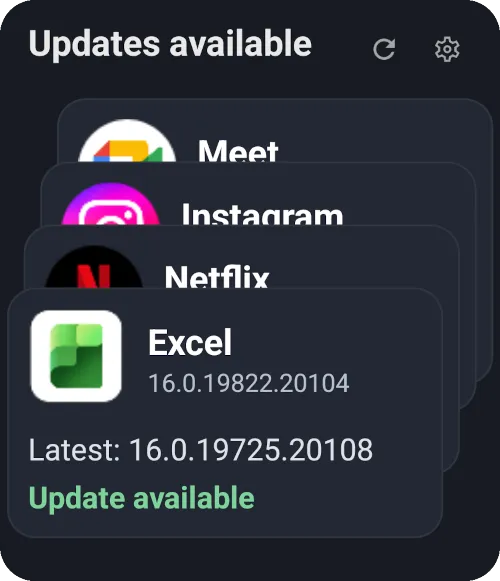
AppDash widgets bring recent activity, screen time, updates, and other useful app information to your home screen — so you can stay informed without opening the app.

New & updated widget
New & updated
Screen time widget
Screen time
Updates available widget
Updates available

Power features

Advanced control, when you want it

AppDash is powerful on a standard Android device, and even more capable with root or Shizuku. Advanced users can unlock elevated actions for things like force-closing apps, changing battery optimization behavior, and deeper app-management workflows.

What root or Shizuku unlocks

  • Force-close apps

    Stop background apps draining battery and data.

  • Toggle battery optimization

    Per-app, with a real switch instead of buried settings.

  • Silent install & uninstall

    Skip the system dialogs for batch operations.

  • Disable apps without uninstalling

    Hide bloatware without losing the right to bring it back.

  • Back up app data, not just APKs

    Capture state alongside the install.

Why people keep AppDash installed

Everything in one place

Users can see apps, notes, storage, usage, backups, and developer info in one interface instead of bouncing through Android menus.

Depth without confusion

AppDash surfaces a huge amount of information without feeling messy or hard to use.

Built for real Android users

From people with hundreds of installed apps to users who just want better organization, AppDash helps make a phone feel less chaotic.

Advanced when you need it

Shizuku support, developer grouping, deep app inspection, APK handling, and watchlist features make AppDash stand out from simpler tools.

Pricing

A premium app, with a full-access preview

AppDash is a paid Android utility with a full-access preview, so you can explore the app before deciding whether it is right for you.

AppDash offers monthly and annual subscriptions, or a one-time purchase option. Pricing varies by country.

AppDash is designed as a premium utility for people who want lasting value from their Android tools.

No ads No tracking Cross-device unlock Local pricing

One control center

A better way to manage Android apps

From app insights and deep details to backups, tags, watchlists, and widgets, AppDash brings your app library under control in one polished Android experience.

For Android phones and tablets