
Usage & screen time

Know where your time and data go

Screen time, launches, Wi-Fi and mobile data for every app, over any period you choose. Plus a timeline of every install, update and uninstall on your device.

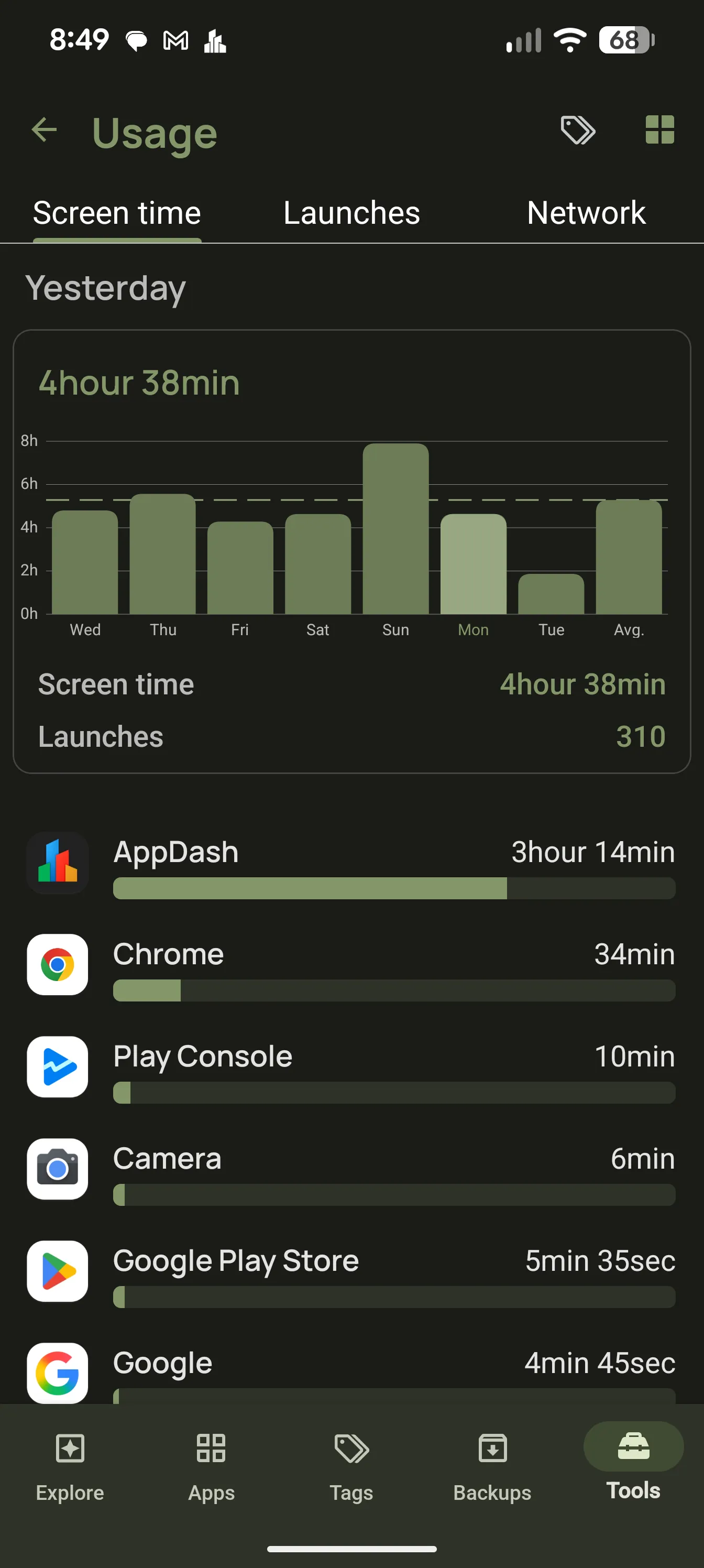
AppDash usage analytics showing screen time by app

Screen time by app

See which apps actually get your attention, with screen time and launch counts you can sort and compare across today, this week, this month or a custom range.

  • Screen time and launch counts per app
  • Daily, weekly, monthly and custom periods
  • Sort the whole app list by usage

Data use by app

Wi-Fi and mobile data are broken out per app and per period, so a plan overage or a chatty background app is easy to spot.

  • Wi-Fi and mobile data per app
  • Compare periods to catch changes
  • Spot background apps that use data when you are not

Install and update history

AppDash keeps a timeline of installs, updates, uninstalls, reinstalls and version changes. When something started misbehaving, you can see what changed and when.

  • Install, update, uninstall and reinstall events
  • Version history per app
  • Changelogs for updates, with Enhanced App Info on

Widgets and insights

A screen-time widget puts the numbers on your home screen, and Explore insight cards call out unused apps and usage trends without opening the full list.

  • Screen time home-screen widget
  • Recent-activity and updates widgets
  • Unused-app detection based on real usage

Common questions

What permission does this need?
Usage statistics come from Android’s usage access permission. AppDash asks for it once, and the data stays on your device.
Is usage data sent anywhere?
No. Usage, screen time and data statistics are read from Android and stay on your device.

More features

Try it with a full-access preview

Install AppDash and use every feature for 7 days. No ads, no tracking.