

Permissions

See every permission, and every change

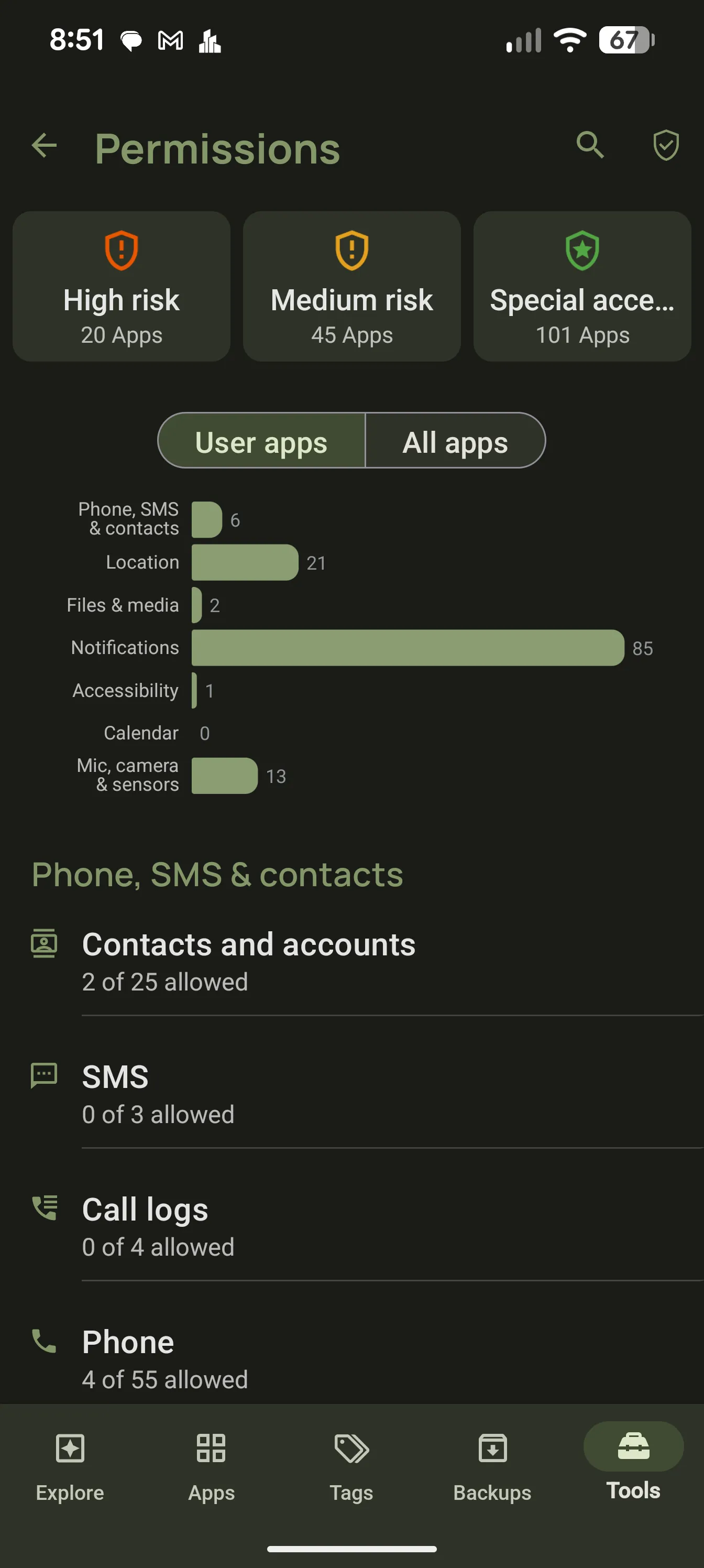
Browse permissions by app or by group, with high-risk and special-access summaries. When an app update asks for something new, AppDash tells you.

AppDash permissions browser grouped by risk level

Browse by app or by permission

Start from an app to see everything it can do, or start from a permission such as Location or Camera to see every app that holds it.

  • All apps for a given permission
  • All permissions for a given app
  • Granted versus declared, side by side

Risk summaries

Permissions are grouped into high-risk, medium-risk and special access, so the apps that can read your SMS, draw over other apps or install packages stand out.

  • High-risk and medium-risk groups
  • Special access such as accessibility and overlay
  • Insight cards flag sensitive permissions on Explore

Permission changes across updates

AppDash records the permissions each app declares at every update. When a new version adds a permission, it appears in a Changes list and on your Explore dashboard, labelled with the version that introduced it.

  • Added and removed permissions per update
  • Labelled with the version
  • Surfaced automatically on Explore

Deeper than the system screen

Alongside permissions, each app detail page shows its manifest, components, signing certificates and installer, so you can judge an app on more than its store listing.

  • Manifest and component viewers
  • Signing certificate details
  • Installer and target SDK information

Common questions

Can AppDash revoke permissions?
AppDash links straight to the system permission screen for each app. Revoking is done there, since Android does not let third-party apps change permissions directly.
Does this work without root?
Yes. Browsing permissions, risk summaries and change tracking all work on a standard device.

More features

Try it with a full-access preview

Install AppDash and use every feature for 7 days. No ads, no tracking.